
How to Upload Blueprints to Your Satisfactory Server
In Satisfactory, blueprints let you save and reuse factory designs. Instead of rebuilding complex layouts from scratch each time, you can store a layout as a blueprint and deploy it whenever you need it — saving time and effort on repetitive builds.
How to Find Blueprint Files
You can either download blueprints from the community or use ones you've created in your own save game.
Downloading Blueprint Files Online
- Head over to the Satisfactory Calculator website.
- Download both the
.sbpand.sbpcfgfiles for whichever blueprint you want to add to your server.
How to Find Blueprints Created in Your Save Game
- Press Win+R to launch the Run dialog, or search for "Run" in your Windows start menu.
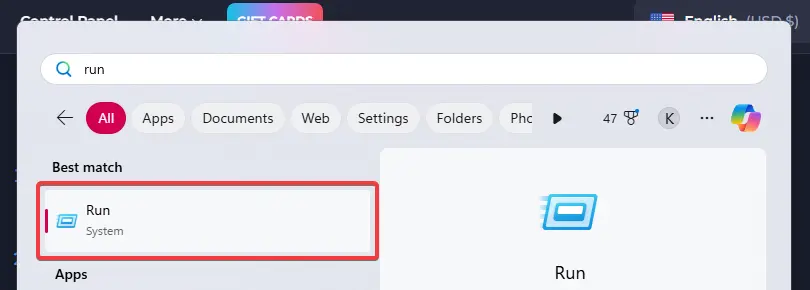
- Paste the following path into the Run dialog:
C:\Users\%username%\AppData\Local\FactoryGame\Saved\SaveGames\blueprints - Open the subfolder that matches the name of the save where your blueprint was created.
- Locate the blueprint you want to upload and leave the folder open for later.
Each blueprint consists of two files — an .sbp file and a matching .sbpcfg file. You'll need both to upload the blueprint to your server.
Uploading Blueprints to Your Server
- Open your server's control panel and shut down the server.
- Go to the Files tab.
- Browse to
/.config/Epic/FactoryGame/Saved/SaveGames/. - Open the
blueprintsfolder inside this directory.
Note: If the blueprints folder doesn't exist yet, connect to your server in-game and create any blueprint. After that, refresh the File Manager in the control panel and the folder should appear.
- Inside the blueprints folder, open the subfolder that corresponds to your save game name.
- Upload both the
.sbpand.sbpcfgfiles into this folder.
Start the server back up and your uploaded blueprints will be ready to use in-game.