
How To Join Your Valheim Server
To connect to your Valheim server, you'll first need to confirm it's online and running the latest version of the game. You'll also need your server's IP address and password.
Finding Your Server IP
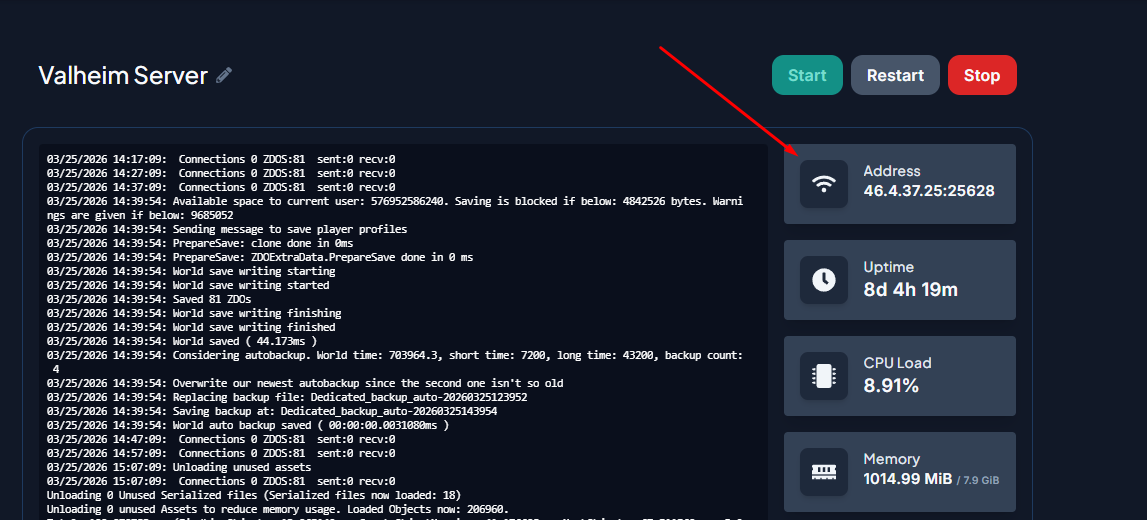
Your server's IP address is displayed in the IP Address field within your control panel.
- Log in to your server control panel and click your Valheim server.
- Copy the full IP Address shown on the main page.
Finding Your Server Password
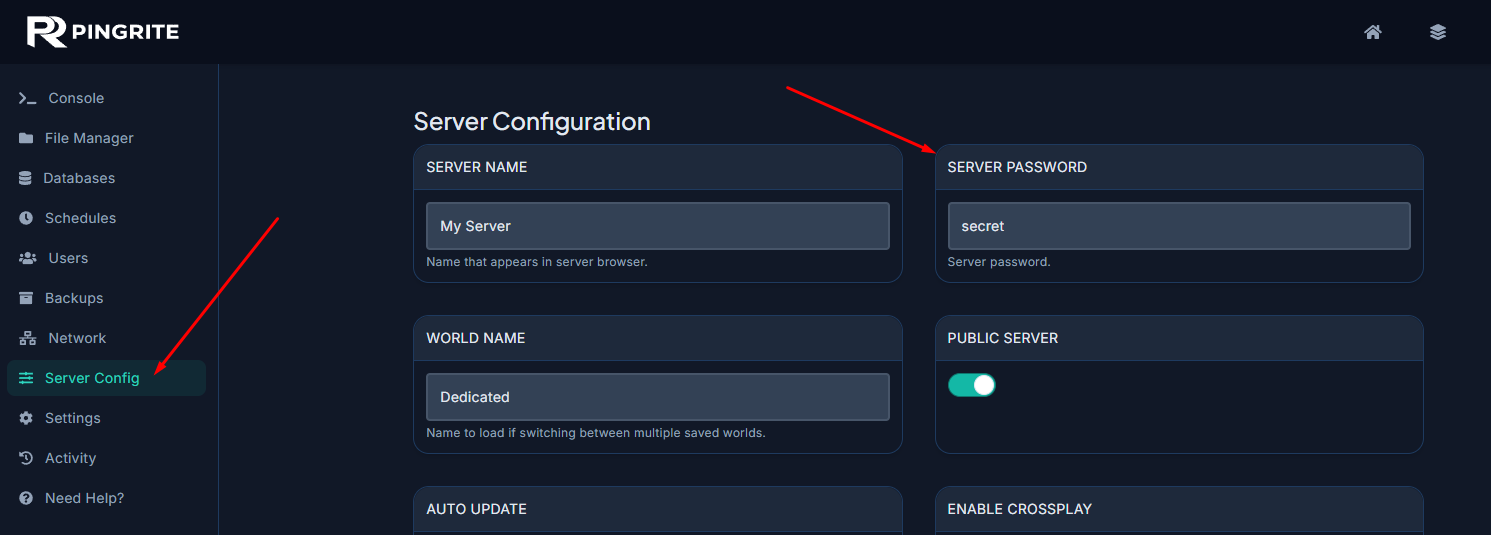
The server password is stored in the valheim.properties file, accessible through the Config Files section of your control panel.
Joining Your Server
With your IP and password ready, you can connect to the server. Keep in mind that you'll need to repeat these steps each time you join, since the game doesn't save the password between sessions.
- Open Valheim and click Start Game from the main menu.
- Pick the character you'd like to play on. If you don't have one yet, create a new character first.
- Once your character is selected, click Start.
- Switch to the Join Game tab and click the Add Server button.
- Paste your server's IP address into the popup and click Connect.
- When prompted, enter your server password and press Enter.
- If the details are correct and you're not banned or missing from the whitelist, you'll load into the server.
Add Your Server to the Steam Server List
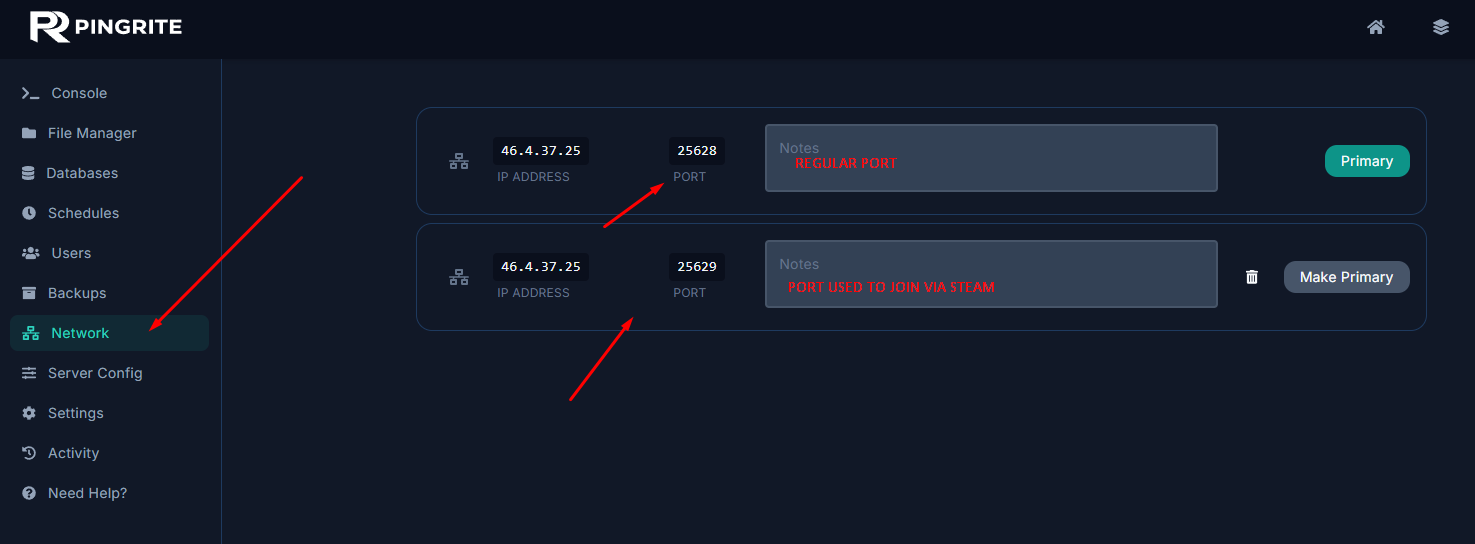
When connecting through the Steam Server List, Valheim uses a different port — specifically your regular port found in the steps above, plus one. You can view your allocated ports by going to the Network tab.
- In the Steam client, go to View > Servers and open the Favorites tab.
- Click Add server by IP.
- Enter your server address in the popup and click OK. Be sure to use the correct port as displayed above.
- Select your server from the list to begin connecting.
- Type your server password when prompted, then click Join Game.
- The game will launch and bring up the Character Selection Screen. Choose the character you want to play with.
- You'll be asked for the server password a second time — enter it again to finish connecting.
That's everything! You're all set to jump into your Valheim server and start adventuring with friends.