
How To Install and Setup TShock On Your Terraria Server
TShock is an essential server-side tool for Terraria that brings powerful management features like banning, kicking, and a full permissions system — all controllable from in-game. It also supports plugins, giving you even more ways to customize your server experience.
Important: It's strongly recommended to create a backup before making any changes to your server.
How to Install TShock
Since TShock is a server-side modification, you only need to install it on the server itself — no client-side changes are required.
- Open your server control panel and Stop the server.
- Select TShock in the mod switcher underneath the console. Read the warning information and confirm the change.
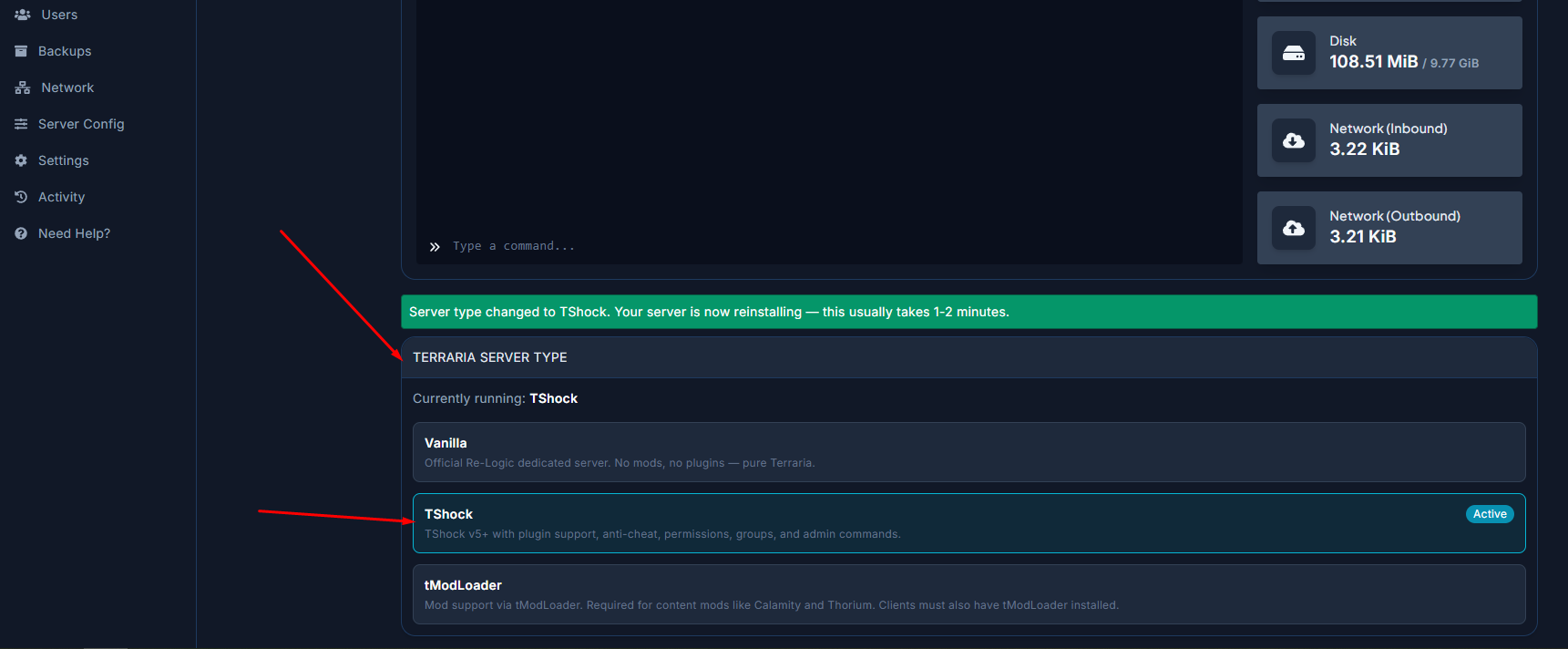
- The server will reinstall with TShock and will start automatically.
Setting up TShock
After installing TShock for the first time, you'll need to complete a setup process so the server recognizes you as the owner.
- Start the server and wait for the world to finish generating.
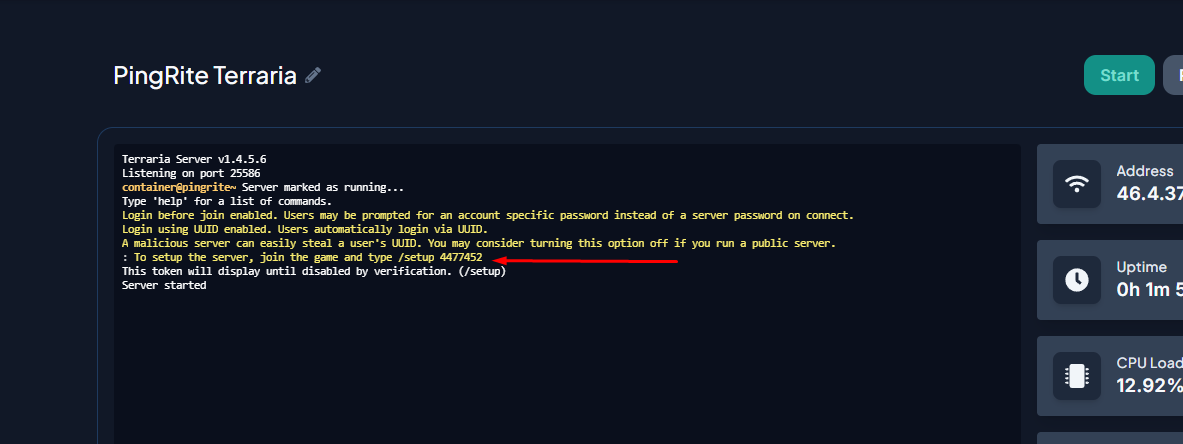
- Check the server console for a line that reads
To setup the server, join the game and type /setup xxxxxxx(where xxxxxxx is a randomly generated number).
- Launch Terraria and connect to your server.
- Copy and paste the setup command from the console into the in-game chat (press "Enter" to open the chat window).
- If entered correctly, a confirmation message will appear in your chat.
- Now create your owner account by typing
/user add [account name] [password] owner. (ex. /user add Pingrite mypassword) Note that your account name doesn't need to match your in-game username. - You should see the message "Account [account name] has been added to group owner!".
- Log in to your new account with
/login [account name] [password]. - A message confirming "Authenticated as [account name] successfully!" should appear.
You're all set! TShock is now configured and ready to use. Be sure to remember your account name and password, as you'll need to log in with them each time you join the server.