
How To Find DayZ Server Logs
Updated October 27, 2026
Monitoring player activity on a public DayZ server can be challenging. Having access to your administration logs makes it much easier to keep track of what's happening on your server.
Finding DayZ Server Logs
- Open your server control panel.
- Go to the Files tab.
- Browse to
/profiles/. 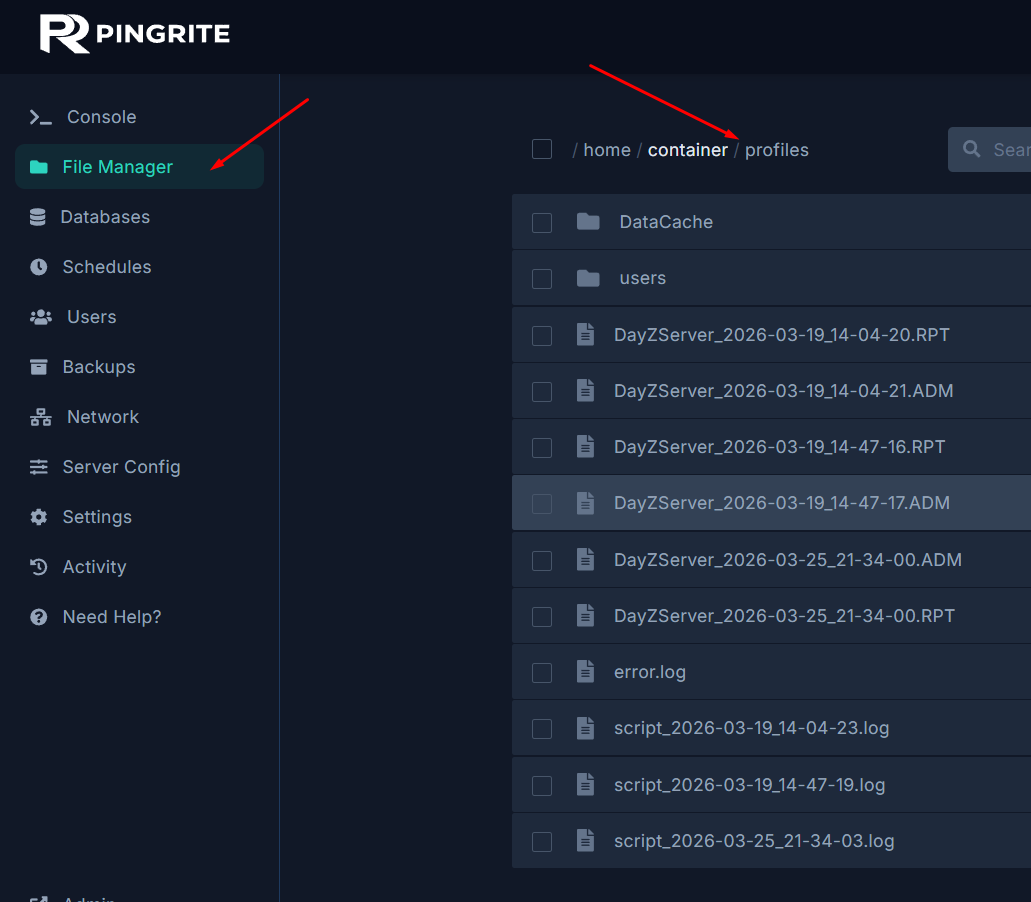
- Inside this folder you'll find a variety of files — including server logs, error reports, and player data.
For a detailed breakdown of each log event and what it means, check out the official DayZ Administration Logs wiki page.
Need further assistance? Our support team is always ready to help — contact us any time.