How to Become an Admin on your Palworld server
Updated October 27, 2026
Palworld dedicated servers support an admin password that grants access to a range of server management commands. You can share this password with trusted players to give them admin privileges as well.
Configuring an Admin Password
Before you can log in as an admin, you'll need to set up an admin password in your server configuration.
- Open your server control panel and Stop the server.
- Go to the Server Config tab.
- Find the Admin Password field and enter your chosen password.
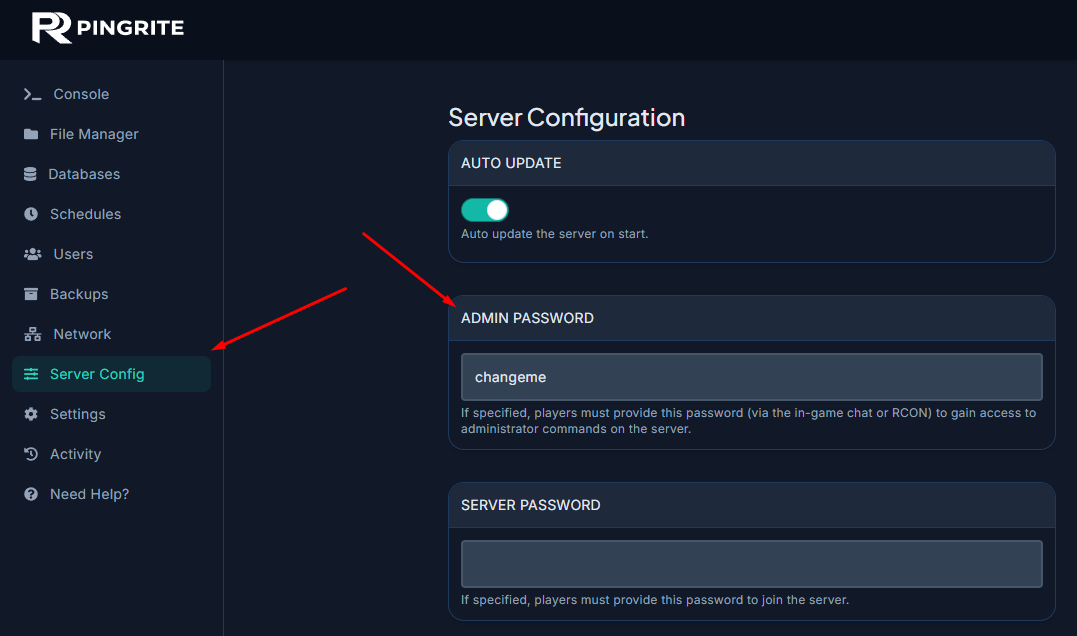
- Save your changes and Start the server.
Logging in as an Admin
Once the admin password is configured, you can authenticate in-game using a simple chat command.
- Connect to your Palworld server.
- Press
Enterto open the chat. - Type the command
/AdminPassword <Password>.