What Are the Best Minecraft Shaders In Java & Bedrock (A Full Guide)
Discover the best Minecraft shaders for Java and Bedrock! Boost visuals with top picks like Miniature, Sildur's, Bliss, and more.
Want to know the best Minecraft shaders? Whether you're on Java or Bedrock, the best shaders for Minecraft in 1.21.4 or 1.20.1 combine performance and aesthetics. From ultra-lightweight to cinematic vibes, we've rounded up the top shaders that make Minecraft look amazing -- no matter your setup.
Why Use Shaders in Minecraft?
Let's be honest -- vanilla Minecraft looks fine, but it doesn't exactly blow your socks off visually. That's where Minecraft shaders come in.
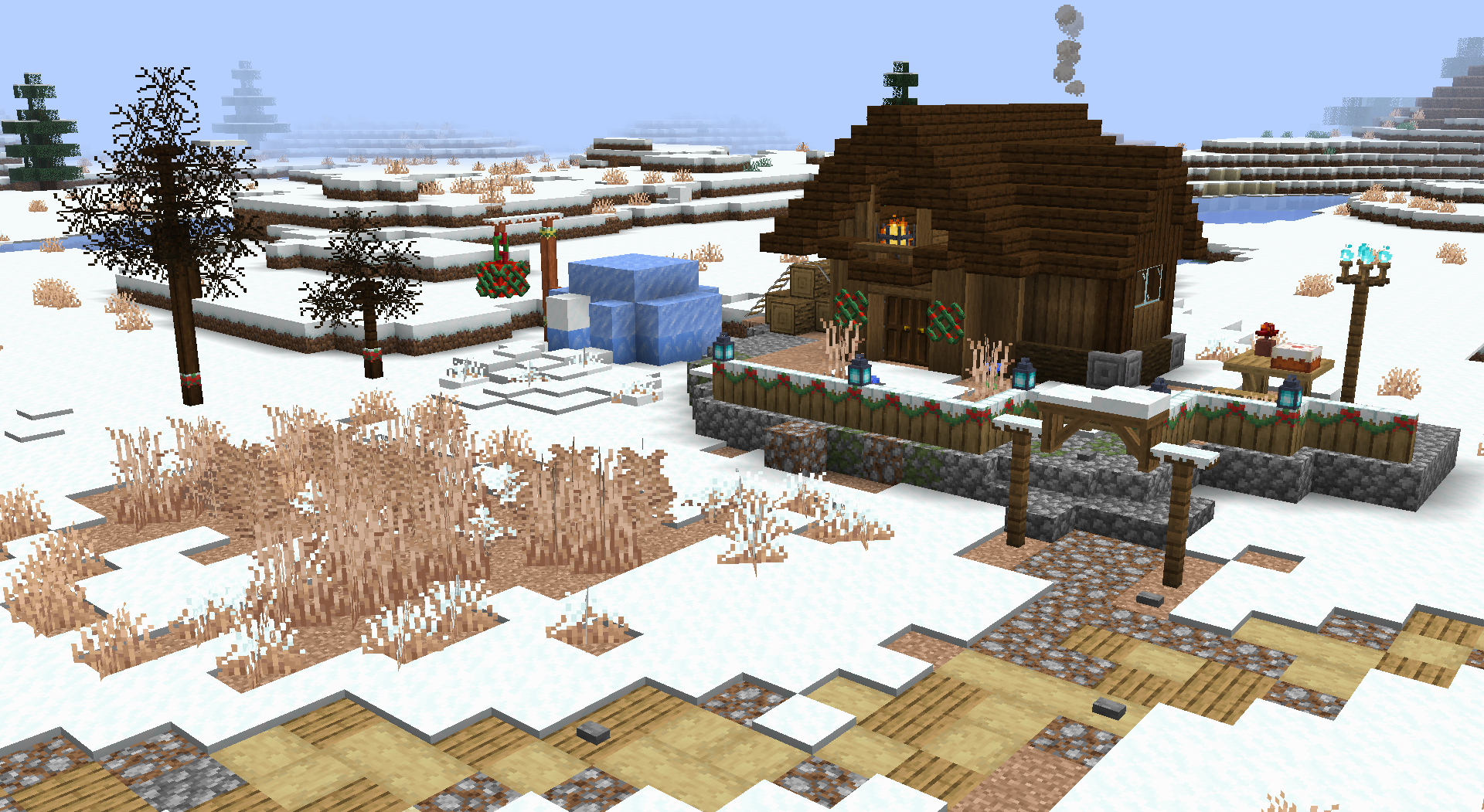
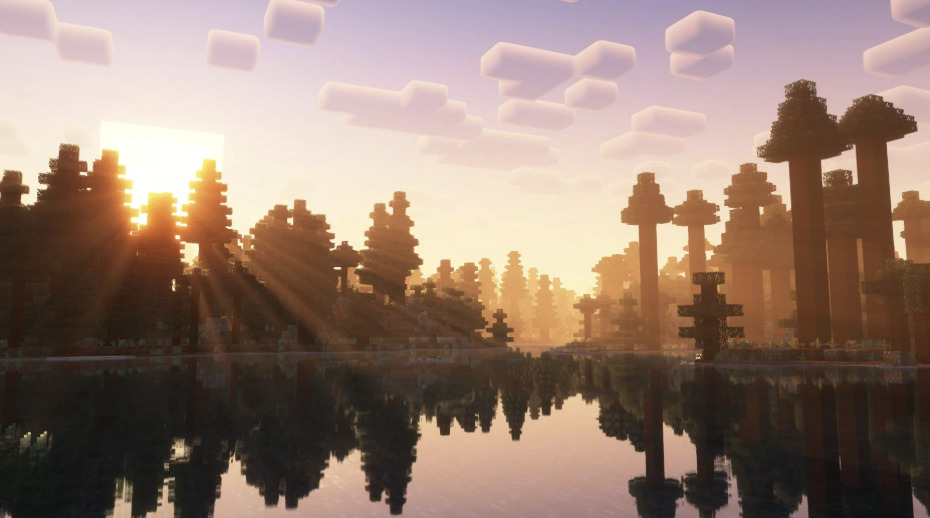
Shaders give the game a serious glow-up. They add realistic lighting, vibrant colors, dynamic shadows, and cool effects like waving grass or glistening water. Whether you're building a medieval village or surviving in a zombie apocalypse, shaders bring your world to life.
And the best part? There's something for everyone. Whether you're running a high-end rig or just a modest laptop, there are shaders for Minecraft to match your performance and style.
How to Get Shaders in Minecraft
Getting Minecraft with shaders is easier than ever, especially on Java Edition. Here's how:
For Java Edition:
1. Install OptiFine - This mod allows shader compatibility. Head to Optifine.net and download the version that matches your Minecraft version (like Minecraft 1.21.4 or 1.20.1).
2. Download a shader pack - Choose from the ones listed below.
3. Place the shader file - Drop the .zip file into the shaderpacks folder (found under .minecraft).
4. Enable shaders - Launch Minecraft with OptiFine, go to Options > Video Settings > Shaders, and select your shader pack.
For Bedrock Edition:
Minecraft Bedrock shaders are trickier due to platform restrictions, but they do exist!
-
Look for shaders for Minecraft Bedrock on community sites like MCPEDL.
-
Download and install as a resource pack.
-
Some Bedrock shaders require RenderDragon compatibility (used in modern versions), so always check version support.
The 10 Best Minecraft Shaders to Use Right Now
From stylized and spooky to smooth and cinematic, these are the best shaders for Minecraft in 2025.
1. Miniature Shaders - Lightweight but Lovely]
Perfect if you're running Minecraft on a potato (we see you), Miniature Shaders offers:
-
Soft shadows and smooth lighting
-
Basic reflections and sunlight shading
-
Incredible performance with minimal impact
This is hands-down one of the best Minecraft shaders for low-end PCs or anyone who wants a chill, playable shader without sacrificing FPS.
We have the link for Miniature Shaders here.
2. I Like Vanilla - Clean and Classic
If you're a vanilla purist but want just a bit more spice, I Like Vanilla is perfect.
-
Enhances vanilla visuals without changing the overall vibe
-
Adds gentle shading and ambient lighting
-
Keeps the familiar Minecraft look -- just upgraded
It's great for creators who want faithful builds to still look authentic in screenshots and videos.
We have the I Like Vanilla link here.
3. Super Duper Vanilla - Bright and Beautiful
Inspired by Mojang's canceled "Super Duper Graphics Pack," this shader brings:
-
Vibrant colors
-
Stylish but simple clouds
-
Improved dynamic lighting
Super Duper Vanilla is a favorite among creators who want a more "cartoon-vibrant" aesthetic while keeping the core Minecraft style.
We have the Super Duper Vanilla link here.
4. CTR VCR - Retro TV Vibes
This one is wild -- CTR VCR shaders make Minecraft look like it's playing on an old CRT monitor.
-
Scanlines, bloom, and grain effects
-
Perfect for horror maps or nostalgic modpacks
-
Embraces weird, glitchy aesthetics
It's definitely** style over realism**, but it's awesome for spooky survival worlds or unique gameplay experiences.
We have the CTR VCR link here.
5. Bloop - Infinite Customization
Want a shader that adapts to your setup? Meet Bloop -- a chameleon of shaders.
-
Designed to run on everything from ancient laptops to gaming PCs
-
Customizable settings let you tweak performance vs. visuals
-
Balances shadows, lighting, and saturation in smart ways
Bloop is ideal for players who want a one-size-fits-all shader that grows with your setup.
We have the Bloop link here.
6. Reverie - Foggy and Dreamlike
Reverie nails a warm, soft vibe that turns your game into a painting.
-
Foggy overlays with golden-hour lighting
-
Warm tones and soft shadows
-
Ideal for cozy survival worlds or fantasy builds
This shader is a hit with players who want an aesthetic, peaceful Minecraft experience.
We have the Reverie link here.
7. Bliss - Fantasy & Flexibility
Bliss brings a fairytale filter to Minecraft.
-
Vibrant colors and magical lighting
-
Works on both low-end and high-end PCs
-
Tons of customization options
It's a versatile shader that fits fantasy, medieval, and even sci-fi builds. Easily one of the Minecraft best shaders for roleplayers and builders.
We have the Bliss link here.
8. Sildur's Vibrant Shaders - The Iconic Pick
You can't make a shaders list without Sildur's Vibrant Shaders. It's legendary.
-
Sun rays, dynamic shadows, waving grass, glowing ores
-
Mid-to-high end systems recommended
-
Active development and wide version support (1.20.1, 1.21.4)
If you've watched a Minecraft YouTuber recently, you've probably seen Sildur's in action. It's one of the best shaders for Minecraft for a reason.
We have the Sildur's Vibrant Shaders link here.
9. UShader - Realism Done Right
Looking for a realistic vibe? UShader delivers.
-
Realistic reflections and water
-
Ambient occlusion and global illumination
-
Great for cinematic builds and exploration
This is a solid choice for survival players or creators making Minecraft Java shaders videos and want a near-photo-realistic look.
We have the UShader link here.
10. Allium - Fantasy Meets Function
A custom spin-off of Complementary Unbound, Allium adds vibrant energy to Minecraft.
-
Deep color saturation and fantasy hues
-
Smooth sky transitions and glowing lights
-
Great for builds that deserve to pop
If you love visual storytelling or make cinematic content, Allium might just be your go-to.
Minecraft Java vs Bedrock Shaders: What's the Difference?
Let's clear it up:
Java Edition:
-
Full shader support via OptiFine, Iris, or Forge
-
Easy to install and swap shaderpacks
-
More variety and higher-quality options
Bedrock Edition:
-
Shaders are more limited (due to RenderDragon engine)
-
You can still find Minecraft Bedrock shaders, but compatibility varies
-
Best used on Android or Windows versions (consoles are more locked down)
So while shaders for Minecraft Java have the edge, Minecraft shaders Bedrock are still worth exploring if you're not playing on Java.
Choosing the Best Shader for Your Setup
Still unsure which shader to pick? Here's a quick guide:
For Low-End PCs or Laptops:
-
Miniature Shaders
-
Bloop
-
I Like Vanilla
For Mid-Range PCs:
-
Super Duper Vanilla
-
Reverie
-
Bliss
For High-End PCs:
-
Sildur's Vibrant
-
UShader
-
Allium
For Unique Vibes:
-
CTR VCR - Retro horror
-
Allium - Fantasy builds
Final Thoughts On Minecraft Shaders
There's no single "best" shader -- it all depends on what you want your Minecraft world to feel like. Whether you want realism, fantasy, or just a smoother vanilla look, there's a shader pack that fits your style and PC specs.
So go ahead, grab your favorite shader, and experience Minecraft with shaders like never before. Just remember to pack sunscreen -- those dynamic sun rays hit different.